

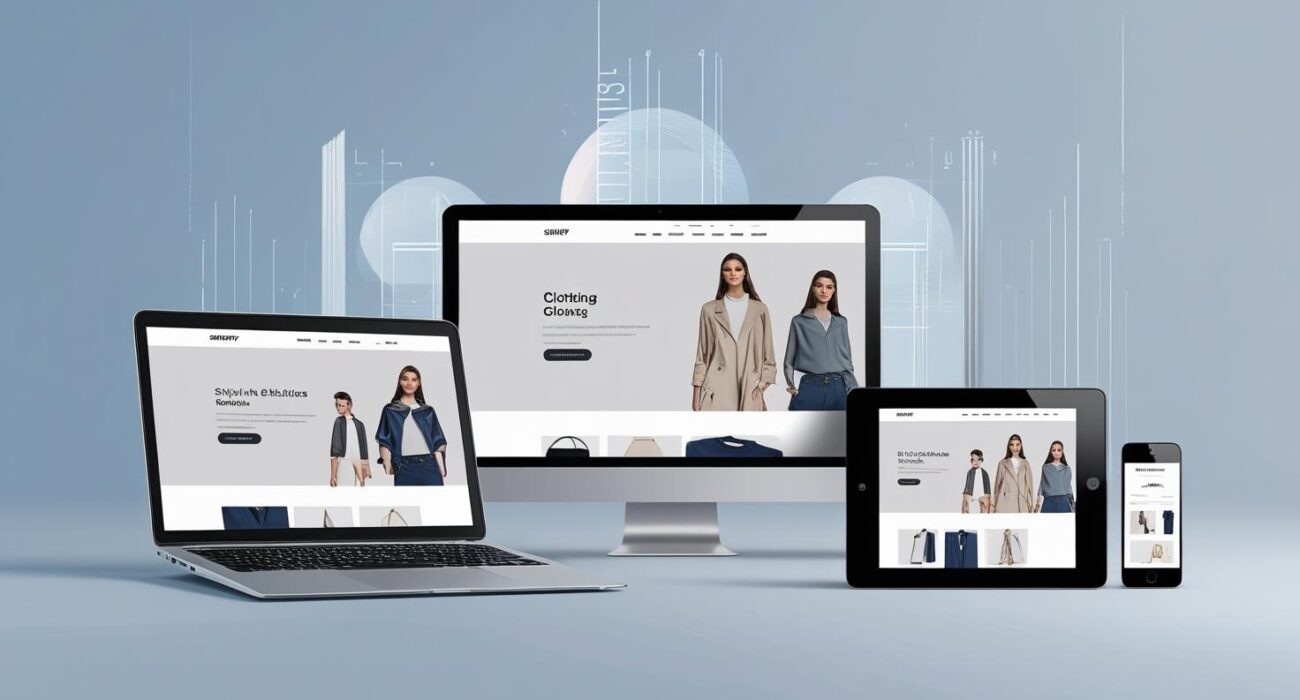
Shopify store design is no longer just about making your online shop look pretty — in 2026, it is the single most important factor that determines whether a visitor buys from you or clicks away to your competitor in seconds.
With over 9.7 million stores built on Shopify worldwide, standing out has never been more challenging. The good news? A professionally designed Shopify store with the right layout, speed, and conversion elements can consistently achieve 3–5% conversion rates — while the average store sits at just 1.4%.
In this complete Shopify store design guide, you will learn exactly what separates a high-converting Shopify store from one that loses money, which design elements matter most in 2026, and why working with an experienced Shopify developer produces results that DIY setups simply cannot match.
What Is Shopify Store Design and Why Does It Matter So Much?

Shopify store design refers to the complete visual and functional experience of your online store — from the theme and color palette to the product page layout, navigation, checkout flow, and mobile responsiveness.
Here is why it matters more than ever in 2026:
- Visitors form a first impression of your store in just 0.05 seconds
- A one-second delay in page load time reduces conversions by 7%
- Over 54% of all e-commerce traffic now comes from mobile devices
- Stores with professional UX design achieve conversion rates of 4.7% or higher — more than 3 times the average
Poor design is not just an aesthetic problem — it is a revenue problem. Every poorly placed button, slow-loading image, or confusing navigation path costs you real sales every single day.
The 9 Essential Elements of a High-Converting Shopify Store Design
1. Mobile-First Shopify Store Design
The first rule of Shopify store design in 2026 is simple: design for mobile first, desktop second. More than half of your visitors are shopping on their phones, and if your store is difficult to use on a small screen, they will leave — and likely never return.
A mobile-optimized Shopify store includes:
- Large, easy-to-tap buttons (minimum 44px touch target)
- Images that scale perfectly on all screen sizes
- A simplified, one-thumb navigation menu
- Fast-loading pages under 3 seconds on mobile networks
- A streamlined checkout process with minimal steps
When evaluating Shopify themes or working with a Shopify developer, mobile performance should be your first non-negotiable requirement.
2. Page Speed Optimization
Page speed is both a user experience factor and a Google ranking signal. Slow stores lose customers and rank lower in search results — a double penalty that is completely avoidable.
The fastest Shopify stores in 2026 achieve these benchmarks:
- Homepage loads in under 2 seconds
- Product pages load in under 2.5 seconds
- Google PageSpeed score of 80+ on mobile
To hit these numbers, your Shopify store design must include:
- Compressed and next-gen format images (WebP)
- Minimal use of third-party apps (each one adds load time)
- Lazy loading for images below the fold
- A lightweight, speed-optimized theme
3. Professional Product Page Design
Your product page is where purchase decisions are made. A well-designed Shopify product page guides the visitor through a logical journey — from curiosity to confidence to “Add to Cart.”
Every high-converting Shopify product page includes:
Above the fold (visible without scrolling):
- High-quality product images (minimum 3–5, including lifestyle shots)
- A clear, benefit-focused product title
- Price with any discount or savings prominently displayed
- A bold, high-contrast “Add to Cart” button
- Trust signals — star ratings, review count, payment icons
Below the fold:
- Detailed product description with key benefits as bullet points
- Size guide or specification table, where relevant
- Customer reviews and testimonials
- Frequently bought together / related products section
- FAQ section addressing common objections
4. Clear Navigation and Site Structure
Visitors who cannot find what they are looking for within 3 seconds will leave. Your Shopify store navigation must be intuitive, fast, and logical.
Best practices for Shopify navigation design:
- Keep the main menu to 5–7 items maximum
- Use a sticky header so the menu is always accessible while scrolling
- Include a search bar with autocomplete suggestions
- Create clear category pages with filtering options
- Add breadcrumbs on product pages so users always know where they are
5. Trust Signals and Social Proof
Online shoppers cannot touch or try your products before buying. Your Shopify store design must compensate for this by building trust visually throughout the entire buying journey.
Essential trust signals for every Shopify store:
- Customer reviews — displayed on product pages and homepage
- Security badges — SSL, secure checkout, payment method icons
- Money-back guarantee and return policy (visible on product pages)
- Real testimonials with names and photos
- Social proof numbers — “2,000+ happy customers”, “4.8/5 star rating”
- Press mentions or brand logos if your store has been featured
6. A Streamlined Checkout Process
Cart abandonment is the biggest revenue leak in e-commerce. The global cart abandonment rate is approximately 70% — meaning 7 out of every 10 shoppers who add a product to their cart never complete the purchase.
A well-designed Shopify checkout reduces this dramatically by:
- Offering one-page or two-step checkout (not multi-page)
- Enabling Shop Pay, Apple Pay, and Google Pay for instant checkout
- Showing a progress indicator so customers know how close they are
- Offering guest checkout without forcing account creation
- Displaying the order summary with product images throughout checkout
- Setting up abandoned cart email sequences to recover lost sales
7. Color Psychology and Brand Consistency
Your Shopify store design color choices are not random — they directly influence how visitors feel about your brand and whether they trust you enough to buy.
General principles for e-commerce color psychology:
- CTA buttons — use high-contrast colors like orange, green, or blue (avoid red for buy buttons as it can trigger caution)
- Background — white or very light colors maximize product visibility
- Trust elements — green and blue communicate security and reliability
- Brand colors — consistent across every page to build recognition
Importantly, your Shopify store must have consistent branding — the same fonts, colors, and visual style on every page. Inconsistency looks unprofessional and erodes customer confidence instantly.
8. High-Quality Product Photography
In physical retail, customers pick up products, touch them, and examine every detail. In e-commerce, your product photography has to do all of that work.
Your Shopify store design should include:
- Clean white background shots for product catalog pages
- Lifestyle images showing the product in use in real environments
- Multiple angles — front, back, sides, and close-up details
- Zoom functionality on desktop
- Video demonstrations for complex products
- User-generated photos from real customers in reviews
Poor product photography is one of the most common reasons well-designed Shopify stores still fail to convert. It is an investment that pays for itself many times over.
9. SEO-Optimized Shopify Store Design
Your Shopify store design must be built with search engine optimization in mind from the very beginning. A beautiful store that nobody can find through Google is a wasted opportunity.
SEO elements that must be built into your Shopify store design:
- Clean URL structure —
/products/product-namenot/products/123456 - Optimized page titles and meta descriptions for every product and category
- Image alt text on every product image
- Fast loading speed (a direct Google ranking factor)
- Mobile responsiveness (Google ranks mobile-first)
- Schema markup for products, prices, and reviews
- Blog section for content marketing and keyword targeting
For a deeper dive into Shopify SEO, refer to Shopify’s official SEO guide for platform-specific best practices.
The Best Shopify Themes for Professional Store Design in 2026
Choosing the right theme is the foundation of your Shopify store design. Here are the top-performing options in 2026:
| Theme | Price | Best For | Speed Score |
|---|---|---|---|
| Dawn | Free | General stores, beginners | Excellent |
| Sleek | Paid | Modern brands, fashion | Excellent |
| Minimog | Paid | Fast-loading, multi-layout | Outstanding |
| Impulse | Paid | Large catalogs, clothing | Very Good |
| Prestige | Paid | Luxury/premium brands | Very Good |
| Hyper | Paid | B2B, wholesale | Good |
While free themes like Dawn are a solid starting point, premium themes offer far more customization options, better performance, and built-in conversion features that justify the one-time investment.
DIY Shopify Design vs. Hiring a Professional Shopify Developer
Many business owners start by trying to design their Shopify store themselves — and there is nothing wrong with that for a basic launch. However, as your store grows, the limitations of a DIY approach become clear:
| Challenge | DIY Approach | Professional Developer |
|---|---|---|
| Custom design | Limited by theme restrictions | Fully custom — no limits |
| Conversion optimization | Generic layouts | CRO-tested designs |
| Mobile performance | Varies by theme | Optimized for every device |
| Page speed | Often slow with extra apps | Technically optimized |
| SEO structure | Basic | Advanced schema + structure |
| Time investment | 40–100+ hours | You focus on your business |
| Ongoing support | Self-managed | Professional maintenance |
A professionally designed Shopify store is not just an expense — it is an investment with measurable ROI. Consider this: if a better-designed store improves your conversion rate from 1.4% to 3%, that is more than double your revenue from the same traffic.
What to Look for When Hiring a Shopify Developer or Agency
Not every Shopify developer delivers the same results. Here is what separates top Shopify design agencies from the rest:
Portfolio and proven results — Ask to see live stores they have designed, and check whether those stores look professional, load quickly, and are mobile-friendly.
E-commerce expertise, not just design skills — A great Shopify developer understands conversion rate optimization, not just aesthetics. They design to increase sales, not just create something that looks nice.
Full-service capabilities — The best results come when design, development, product setup, SEO, and marketing are all aligned. A developer who only handles the theme will leave you needing to hire three other people.
Communication and transparency — You should always know exactly what is being built, when it will be delivered, and what results to expect. Avoid developers who are vague about deliverables or timelines.
After-launch support — Your Shopify store will need ongoing updates, app integrations, speed optimization, and testing. Make sure your developer offers reliable post-launch support.
How Much Does a Professional Shopify Store Design Cost?
Shopify store design costs vary significantly based on complexity, customization, and the experience level of the developer:
| Project Type | Estimated Cost | Timeframe |
|---|---|---|
| Basic theme setup (pre-made theme) | $300–$800 | 3–5 days |
| Custom-designed Shopify store | $1,000–$3,000 | 1–2 weeks |
| Full-featured store with custom development | $3,000–$8,000+ | 2–4 weeks |
| Shopify Plus enterprise store | $8,000–$25,000+ | 4–8+ weeks |
For most small to medium-sized businesses, a professionally designed Shopify store in the $1,000–$3,000 range delivers excellent results — and pays for itself quickly through improved conversion rates.
Shopify Store Design Checklist — Before You Launch
Use this checklist to ensure your Shopify store is ready for customers:
Design & UX
- Mobile-responsive on all screen sizes
- Page speed under 3 seconds
- Professional logo and consistent branding
- High-quality product images on all products
- Clear navigation with 5–7 main menu items
Product Pages
- Benefit-focused product titles and descriptions
- Minimum 3 product images per item
- Price, variants, and stock availability are clearly visible
- Bold, high-contrast Add to Cart button
- Reviews section enabled
Trust & Conversion
- SSL certificate active (HTTPS)
- Payment icons visible at checkout
- Return policy and shipping information are accessible
- Trust badges on product and cart pages
- Cart abandonment email sequence set up
SEO & Technical
- Page title and meta description for every page
- Image alt text on all product photos
- Sitemap submitted to Google Search Console
- Google Analytics and Facebook Pixel installed
- Blog section created and first post published
Frequently Asked Questions About Shopify Store Design
Q: How long does it take to design a Shopify store? A professional Shopify store design typically takes 7–14 working days for a standard store. Complex stores with custom features, large product catalogs, or advanced integrations may take 3–6 weeks. At Webify Hubs, we deliver most Shopify stores within 7–10 days without compromising on quality.
Q: Do I need coding skills to manage my Shopify store after launch? No. Shopify is designed for non-technical users. Once your store is set up by a professional, day-to-day tasks like adding products, updating prices, processing orders, and publishing blog posts require no coding whatsoever. We also provide training after handover so you feel completely confident managing your store.
Q: Can you redesign my existing Shopify store? Absolutely. Store redesigns are one of our most common projects. We audit your current store, identify design and conversion issues, and rebuild it from the ground up — preserving your products, customer data, and SEO rankings while dramatically improving the look, speed, and performance.
Q: Which Shopify plan do I need? For most new stores, the Basic plan ($39/month) is sufficient to start. As your revenue grows, upgrading to Shopify ($105/month) or Advanced ($399/month) unlocks lower transaction fees and advanced reporting. We can help you choose the right plan based on your expected volume.
Q: Do you offer ongoing Shopify store management? Yes. We offer monthly retainer packages that include design updates, product uploads, speed optimization, app management, and marketing support — so your store keeps improving over time without you having to manage the technical details.
Build Your Shopify Store With Webify Hubs
At Webify Hubs, we design and develop Shopify stores that are built to convert — not just look good. Our team combines professional design, technical development, conversion optimization, and SEO into every store we build.
We have delivered Shopify stores for clients across the USA, UK, UAE, Australia, Canada, and beyond — from small boutique brands launching their first store to established businesses migrating from other platforms.
Whether you are starting from scratch, redesigning an underperforming store, or scaling an existing Shopify business, we have a solution designed around your goals.
📞 WhatsApp / Call: +92 311 0272 376 📩 Email: info@webifyhubspro.com 🌐 Shopify Design Service: webifyhubspro.com/service/shopify-store-design
👉 Get Your Free Shopify Store Consultation
Webify Hubs Pro — Smart Solutions for Websites, Funnels & Marketing Professional Shopify store design for businesses worldwide.
4 Comments
https://shorturl.fm/Td3pf
https://shorturl.fm/E40ti
This text is worth everyone’s attention. How can I find out more?
best online casino slots for real money bad
For hottest news you have to pay a quick visit world-wide-web and on internet I found this web page as a best web site for latest updates.
new online casino slots